

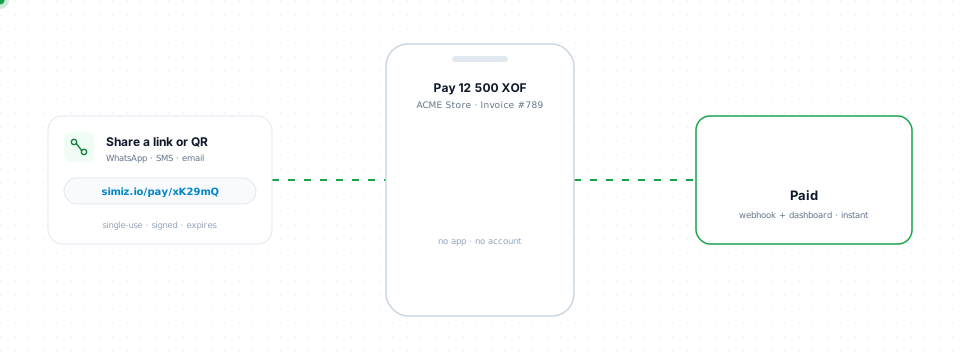
Payment Links let you collect payments by sharing a URL — no integration required.
  • Invoicing — Send payment requests via email, SMS, or WhatsApp
  • Social selling — Share links on social media
  • No-code payments — Accept payments without a website
  • One-time charges — Collect specific amounts from specific customers
  1. Go to Dashboard → Payment Links
  2. Click Create Link
  3. Set the amount, currency, and description
  4. Share the generated URL with your customer

Features

FeatureDescription
Fixed or open amountSet a specific amount, or leave empty to let the customer enter the amount (with optional min/max)
ExpirationSet an expiry date for time-limited offers
Multi-useAccept multiple payments on the same link (set maxUses or leave unlimited)
Customer data collectionCollect phone, email, and/or name at checkout
MetadataAttach custom key-value data for reconciliation
StatusDescription
ACTIVELink is available for payments
EXPIREDLink has passed its expiration date
INACTIVELink was manually deactivated
# List all payment links
curl https://api.simiz.io/v1/organizations/{orgId}/payment-links \
  -H "Authorization: Bearer sk_test_xxx"

# Get link statistics
curl https://api.simiz.io/v1/organizations/{orgId}/payment-links/stats \
  -H "Authorization: Bearer sk_test_xxx"

# Deactivate a link
curl -X DELETE https://api.simiz.io/v1/organizations/{orgId}/payment-links/{linkId} \
  -H "Authorization: Bearer sk_test_xxx"
Use multi-use links for recurring scenarios like donations. Set maxUses to limit the number of payments a link can accept.